Learn about bitcoin
by using bitcoin.
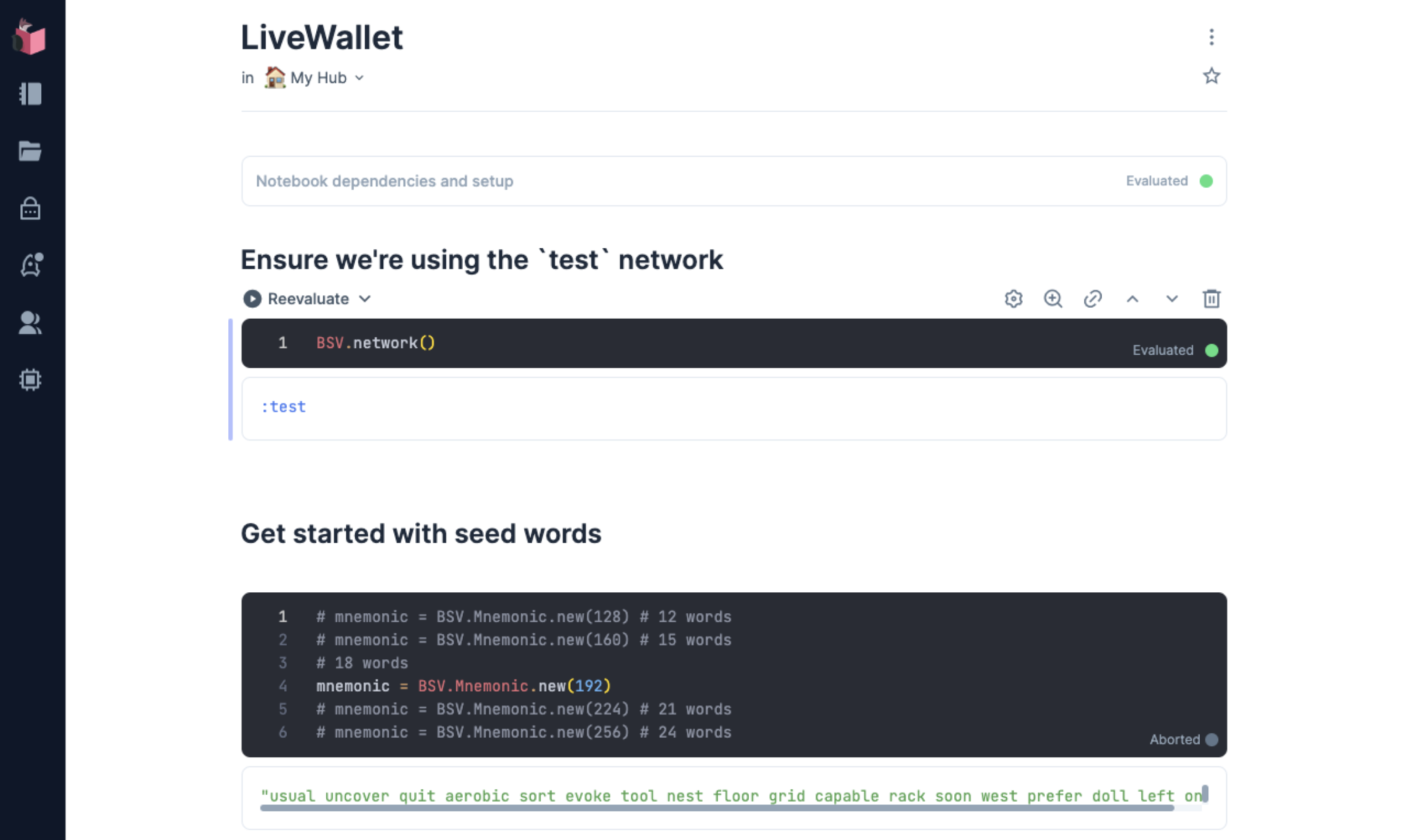
LiveWallet is a set of Elixir Livebook notebooks that together form a working bitcoin wallet. Open them in Livebook and use keys, addresses, and transactions in code you can run and change.
Get started in three steps
-
Install Livebook (opens in a new tab)
Livebook is a desktop app for Mac, Windows and Linux. Download it once.
-
Run LiveWallet in Livebook
Opens the start page in the Livebook you just installed.
-
Follow the tutorial
Start with the
start-herenotebook and usetestnetcoins to learn about bitcoin in a hands-on way.
How these bitcoin concepts fit together
Each concept is covered in a notebook. Hover a term to find it in the list below.
A wallet begins as a seed phrase, 12 or 24 words you turn into a seed and then into an extended key. From that one seed you derive keys and addresses, as many as you like, and an address is what you hand to someone so value can reach you. A passphrase and a derivation path decide which keys come out, and the key hierarchy says how far each layer may travel: a private key stays home, a public key can be shared, a watch-only key can see but never spend. With an address in hand you receive bitcoin at it, then verify the transaction on chain by reading its inputs and outputs back from the network. To send a transaction you do the reverse: unlock an earlier output with a signature, lock new outputs to new scripts, and leave the fee as whatever the outputs do not claim. An order lock adds one rule, that the transaction cannot be mined until a block height you choose.
The same pieces combine into larger things. An address balance viewer watches many addresses at once, and an ML smart cell reads the text that transactions carry. A multisig ceremony puts one output under three keys held by three people, two of whom must sign to spend it. A serverless wallet goes the other way: a watch-only key, an idempotent signer, and nothing kept between calls, so the wallet is a function rather than a place.
From your first bitcoin transaction
Start with a wallet, watch a payment arrive, then build and send a transaction yourself. Each notebook covers one concept, and the notebooks are grouped into tracks. Each track adds a layer to the one before it: keys, then transactions, then the things people build on top of them.
What you will learn
- Wallets do not hold coins; they hold keys.
- One seed phrase generates unlimited keys, deterministically.
- An address is a hash of a public key, not the key itself.
- A transaction is inputs that unlock earlier outputs, and outputs that lock value to new scripts.
- The fee is whatever the outputs do not claim.
- Anyone can verify any transaction, and you did.
- Keys can be shared, split and time-locked, and a transaction can carry data as well as value.
-
Setup
start-here.livemdOpen your learning workspace
Livebook is a desktop app for Mac, Windows and Linux. Download it once, then use Run in Livebook above to open LiveWallet.
Every notebook starts on testnet, a practice network where nothing is at stake. Mainnet is an explicit opt-in: set a Livebook secret named
LB_NETWORKtomain. LiveWallet is experimental software that handles real keys; run it on your own machine and keep amounts under 1 USD.There is no numbered order. Each notebook says at the top what to do before it, works on its own, and ends with a Review cell that prints
PASS. -
Wallet keys
wallet/A wallet is a seed phrase and the keys it derives
You learn what a seed phrase, a seed, an extended key, a derivation path and an address are, by making each one. Then how far a key can be shared: a public key, a watch-only key, a key that never touches the network.
-
Seed and Wallet:
generate a seed phrase and turn it into a wallet.
seed-and-wallet.livemd -
Keys and Addresses:
derive many keys from one seed and make one reachable.
keys-and-addresses.livemd -
Mnemonic and Derivation:
passphrases, hardened paths, watch-only keys.
mnemonic-and-derivation.livemd -
Key Hierarchy:
diagrams of what each layer of key can and cannot do.
key-hierarchy.livemd
-
Seed and Wallet:
generate a seed phrase and turn it into a wallet.
-
Transactions value
transactions/A transaction unlocks earlier outputs and locks new ones
You learn what a UTXO, a txid, a confirmation and a fee are, by receiving bitcoin and reading it back from the chain. Then you build a transaction by hand: locking script, unlocking script, signature, change, a memo in an OP_RETURN, and a broadcast. Then a transaction that cannot be mined until a block height you choose.
-
Receive Bitcoin:
watch value arrive at an address you control.
receive.livemd -
Verify On-Chain:
read a transaction's inputs and outputs from the API.
verify-on-chain.livemd -
Send a Transaction:
build, sign and broadcast by hand.
send.livemd -
Order Lock:
a transaction that cannot be mined until a chosen block height.
order-lock.livemd
-
Receive Bitcoin:
watch value arrive at an address you control.
-
Tools reading the chain
tools/The chain is public data you can query
Not lessons, but utilities built from the pieces above. Point them at addresses and transactions you care about.
-
Address Balance Viewer:
watch many addresses at once.
address-balance-viewer.livemd -
ML on Chain Data:
a machine-learning smart cell, to be pointed at on-chain text.
ml-on-chain-data.livemd
-
Address Balance Viewer:
watch many addresses at once.
-
Governance shared control
governance/More than one key, more than one person
You learn what a multisig script and a partially signed transaction are, by running a signing ceremony. Then what it takes for a wallet to be a function: a watch-only key, an idempotent signer, and nothing kept between calls.
-
Multisig Ceremony:
two of three keys, held by three people, spend together.
multisig-ceremony.livemd -
Serverless Wallet:
a wallet shaped like a function.
serverless-wallet.livemd
-
Multisig Ceremony:
two of three keys, held by three people, spend together.
-
Tokens planned
tokens/A satoshi can carry meaning as well as value
Create, read, transfer and burn, applied to inscriptions, on-chain posts, and assets held by old keys. Not yet written.
What will you build next?
At this point, you'll have crafted a bitcoin transaction from scratch, and used the bitcoin public ledger as an information and value network.
Go forth and discover new uses of bitcoin! 💫
Learn Bitcoin by using bitcoin
The companion book covers the why. What bitcoin is, how a wallet works, and what a transaction is made of, in a short illustrated handbook.
The last step in the tutorial has you send a transaction. Here is somewhere to send it.
Three ways to support LiveWallet, from free to a few thousand satoshis.
-
Share it with a bitcoin-curious friend.
-
Open an issue with feedback or questions.
-
Send your first transaction here. The last step in the tutorial has you build a transaction by hand. This address is a good place to send it. Anything you write in the memo stays on chain. A few thousand satoshis is plenty.